Invoice2go: Easy Invoice Maker
- 4.5
- Rating
- 1.00M
- Installs
- Free
- Price

 Analysis by App-foxy
When I look at a business app, I care less about how many tools it claims to include and more about whether it removes an annoying task from my working day. Invoice2go: Easy Invoice Maker is built around that practical goal: helping a small business create invoices, request payment, and keep a clearer view of money moving through the business. I found its strongest idea is not simply “make an invoice,” but keeping the path from completed job to payment organized in one mobile workspace.
That focus makes sense for people who work away from a desk. A cleaner, tradesperson, tutor, photographer, consultant, or independent repair worker may finish a job with only a phone available. Instead of waiting to return to a computer, the app gives that person a business-oriented place to prepare the bill while the details are still fresh. It belongs to the Business category, is developed by Invoice2Go, and is free to install, although in-app purchases range from $0.99 to $449.99 per item.
Why the invoice-to-payment workflow matters
The most useful capability here is the connection between creating an invoice and following what happens afterward. In many small businesses, invoicing is not difficult because the document itself is complicated. It is difficult because the task gets postponed, customer details are scattered, and payment follow-up becomes an afterthought. A mobile invoice maker can reduce that gap by making the first step quick enough to complete immediately.
You May Also Like

 Blood Strike: 2.5 Anniversary
Blood Strike’s Loadouts Turn Every Drop Into a Tactical Gamble
A close look at Blood Strike’s custom loadouts: how fast access to signature weapons reshapes its battle royale rhythm, rewards preparation, and narrows the gap between fights.

 Pandora - Music & Podcasts
Pandora’s Music Is Easy to Start, but Harder to Recover
Pandora’s strength is its low-effort path from a seed to a station. Its weak spot is how much confidence it asks you to place in connection, setup, and quiet recovery.

 8 Ball Pool
 Is Built on Rivalries, Rematches, and Routine
A close look at the rivalries, rematches, shared routines, and unanswered safety questions that turn a quick pool match into a persistent mobile community.

 Samsung Music
’s Quiet Strength Is Playing What You Already Own
Its reach comes less from spectacle than from dependable access to a personal library. That simplicity is both the app’s strongest retention engine and its ceiling.

 AccuWeather: Weather Radar
AccuWeather Review: A Quick, Clear Forecast for Everyday Decisions
For everyday plans, the best forecast is the one you can understand quickly. AccuWeather makes rain timing, radar, and local conditions easy to act on, with a few trade-offs.

 Hill Climb Racing
Why Hill Climb Racing Still Turns Crashes Into One More Run
A tiny car, a bumpy hill and one more upgrade: Hill Climb Racing keeps resurfacing because its simple chaos makes every near-miss feel personal.
More From Our News Desk



In my experience, the real benefit is consistency. When every bill is made in the same app, I am less likely to forget a service description, leave out a total, or send an informal message that is hard to track later. The app’s wider purpose—payments, reporting, and other business tasks—also means the invoice is treated as part of an ongoing business record rather than a one-off document.
That distinction is important for a solo operator. A basic document editor can produce a professional-looking bill, but it does not naturally encourage a repeatable process. A spreadsheet can calculate totals, yet it often requires more manual upkeep. Dedicated accounting software may go much further, but it can feel excessive when the immediate need is to bill customers promptly from a phone. Invoice2go sits between those choices, aiming to make everyday billing more approachable without requiring a full accounting workflow from the beginning.
The key strength is speed with structure: I can think about the work I completed instead of rebuilding an invoice format each time. That does not replace careful bookkeeping, but it can make the first, most frequently repeated business task easier to handle.
Turning completed work into a usable invoice
A sensible way to use the app is to prepare the basic business information before the first customer invoice. I would enter the details that should appear consistently, then create a small set of commonly used services or products if my work is repetitive. For a tradesperson, that might mean separating labor from materials. For a consultant, it could mean distinguishing an hourly session from a fixed project fee. The advantage is not just saving typing; it also reduces variation between invoices.
For occasional work, I would keep the setup deliberately simple. There is no benefit in building a complicated catalog for a person who sends only a few invoices each month. The app is more useful when the setup matches the business. A freelancer with three regular services should organize those three clearly, while a project-based professional may need to pay more attention to descriptions and notes than to a long list of reusable items.
Before sending anything, I would review the customer name, service wording, amount, and payment details as a separate step. Mobile convenience can encourage rushing, especially immediately after a job. A fast workflow is valuable only if it does not lead to avoidable corrections. I also prefer writing descriptions that a customer can understand without remembering the conversation we had. “Repair visit” is less helpful than a short explanation of what was completed.
This is one of the less obvious ways to get more from the app: treat the invoice as a communication tool, not merely a receipt. Clear wording can reduce back-and-forth questions and make a payment request feel more legitimate. It also gives me a better record when I later review which type of work produced the charge.
Using payment follow-up as part of the routine
Creating the invoice is only half the job. The practical test is what happens after it leaves my hands. I would use the app’s payment-oriented side to keep the status of customer charges visible, rather than relying on memory or searching through old messages. Even a simple distinction between invoices that need attention and those that are settled can change how I plan a week.
For a small business, this matters because cash flow is often affected by several modest unpaid jobs rather than one large corporate account. A person who completes five small jobs may feel busy and still have too little money available if invoices are not followed up. Reviewing outstanding work as part of a regular routine—perhaps after finishing the day’s jobs—turns payment tracking into a habit instead of an emergency.
I would avoid sending reminders too quickly or treating every customer the same. A friendly first follow-up can simply confirm that the invoice was received. If a customer has a question, the invoice description may need clarification rather than another payment request. The app can help organize this process, but judgment still belongs to the business owner. No invoicing tool can decide whether a delayed payment is an innocent oversight, a disputed charge, or a sign that future work needs different terms.
That is where reporting can become useful. I would look for patterns in the business record: which services are most common, whether certain customers regularly pay late, and whether a busy period actually produced better income. Reports are most valuable when they lead to a decision. If a particular service takes much longer than expected, the answer may be to change the price or description, not simply to admire a chart.
A realistic day for a mobile service worker
Imagine I run a small home-repair service. In the morning, I complete a minor repair for one customer and a maintenance visit for another. In the past, I might write both details in a notebook, promise to send invoices that evening, and then discover that one job description is too vague to remember properly. With Invoice2go, I would create each invoice while the work is still clear, check the totals, and send the payment request before driving to the next appointment.
At the end of the day, I would review which invoices have been paid and which still need attention. That short review gives me a more realistic picture than looking only at the day’s completed jobs. If one customer asks what a charge covers, I can refer back to the wording I used rather than reconstructing the job from memory. If I notice that materials are repeatedly being absorbed into a general labor charge, I can adjust the way I build future invoices.
The important effect is not that the app makes the repair business more sophisticated. It makes the administrative moment harder to postpone. For someone who earns money through appointments, that can be more valuable than a large collection of advanced accounting functions that rarely get opened.
Where the mobile approach starts to show its limits
There is a trade-off in choosing a focused mobile business tool. A phone is convenient at a customer’s location, but it is not always the best place to examine a complex business history. If I manage many projects, multiple tax treatments, detailed expenses, inventory, payroll, or complicated reconciliation, I would compare this app carefully with full accounting software. A dedicated accounting platform may provide deeper controls and a more complete financial picture.
I would also be cautious about assuming that “all-in-one” means “everything a growing company needs.” The app brings invoicing, payments, and reporting into one experience, but a business with specialized requirements may eventually need tools designed for those requirements. The right question is not whether Invoice2go can replace every system. It is whether it handles the part of the workflow that currently causes the most friction.
The purchase structure deserves attention before committing to regular use. Installation is free, but optional in-app items can cost from $0.99 to $449.99 each. I would inspect the available plan or purchase details inside the app and decide whether the features I actually need justify the expense. Someone sending a handful of simple invoices should not assume that every paid option is necessary. Conversely, a business relying on the app every day should calculate the cost against the time saved, rather than choosing solely because the download costs nothing.
Another limitation is human discipline. A well-designed invoice workflow cannot correct poor customer records, unclear pricing, or inconsistent follow-up. If I enter incomplete information, the app will not magically turn it into a strong business process. I would still keep a separate habit of checking totals, saving important business records appropriately, and reviewing income with the level of care required by my local obligations.
How it compares with familiar alternatives
Compared with sending payment requests through ordinary messages, Invoice2go offers a more deliberate business context. A text or email can be faster for a one-time favor, but it is easy to lose among personal conversations. The dedicated approach is better when I want a repeatable record and a clearer view of what remains unpaid.
Compared with a spreadsheet, the app is more natural for mobile-first work. A spreadsheet can be extremely flexible, especially for someone comfortable designing formulas and tracking columns. Its weakness is that flexibility creates maintenance work. I have to protect formulas, keep formats consistent, and decide how to represent payment status. Invoice2go is the more convenient choice when the priority is producing invoices and monitoring them without building the system myself.
Compared with full accounting software, the choice depends on the stage and complexity of the business. A larger operation may benefit from broader financial controls, while a solo worker may find those systems slow to configure and intimidating to use. Invoice2go makes more sense when invoicing is the central need and reporting is mainly there to support practical decisions, not to replace an accountant’s entire toolkit.
There is also a useful middle ground: a business can begin with a mobile invoicing workflow and later add more specialized financial tools if its needs expand. I would not view that as failure. It is often better to use a smaller system consistently than to pay for a powerful platform that becomes too burdensome to maintain.
Small workflow choices that improve the results
My first tip is to create invoice descriptions around customer understanding rather than internal shorthand. This makes the document more useful when a customer reviews it days later and reduces the chance of a payment delay caused by confusion. I would also separate recurring services from unusual project work, because reusable entries are helpful only when they still describe the actual job accurately.
My second tip is to schedule a short payment review instead of checking randomly. A regular review makes the reporting side more meaningful and helps distinguish a genuinely slow-paying customer from an invoice I simply forgot to send. I would use that review to decide on the next action, not just to count unpaid items.
My third tip is to use the app as a prompt for better pricing decisions. After several similar jobs, I would compare the work described on invoices with the time and materials involved. If the same service repeatedly takes longer than expected, the record can support a more realistic price or a clearer scope. That is a more valuable use of reporting than treating it as a passive summary.
Finally, I would test the complete journey with a low-stakes invoice before moving every customer into the system. I would check how the invoice reads on a phone, whether the payment instructions are clear, and whether I can find its status later without hunting. This trial is especially sensible for someone moving away from handwritten bills or informal messages.
Who is likely to benefit most
I think the best match is a solo professional or very small team that needs to bill customers promptly and wants payment tracking close at hand. It is particularly appealing for people who travel between jobs, do not maintain a permanent office, or find traditional accounting programs too heavy for their daily needs. The app’s broad adoption—over 1 million installs, a 4.6 average from around 31 thousand ratings, and roughly 5.7 thousand written reviews—also suggests that it has reached a substantial audience of people looking for this kind of mobile business help.
It is suitable for Everyone in content rating terms, and the current version is 11.167.0. It supports devices running Android 7.0 or later, so I would check the phone’s operating system before planning a rollout across older devices. The app was released on November 25, 2012, giving it a long presence in the mobile business space, although the practical question for me remains whether its current workflow fits the way I invoice today.
I would skip it, or at least compare alternatives first, if I need advanced accounting controls, a highly specialized industry system, or a desktop-centered process involving several people and complicated approvals. I would also hesitate if my business sends very few invoices and a simple document is genuinely enough. Paying for a broader workflow is not automatically worthwhile when the administrative problem is small.
My final view after using the workflow
Invoice2go: Easy Invoice Maker is most convincing when viewed as a way to close the gap between finishing work and getting paid. Its value comes from making invoicing, payment follow-up, and basic business review feel like connected steps rather than separate chores. I would recommend it to a friend who runs a small service business and keeps delaying invoices because the process feels scattered.
I would not present it as a universal replacement for accounting software. The cost of optional purchases needs consideration, and businesses with deeper financial or operational demands may outgrow a mobile-first approach. Still, for the right user, the biggest gain is administrative momentum: create the invoice while the job is fresh, keep its status visible, and use the resulting record to make better everyday decisions.
That is a practical promise, and in my view it is the one the app handles best. If your main problem is not a lack of financial theory but the repeated delay between doing the work and asking for payment, this is a focused tool worth trying. If your main problem is complex accounting, inventory, payroll, or multi-person financial control, I would choose a more comprehensive alternative instead.
FAQs for Invoice2go: Easy Invoice Maker
01What features does Invoice2go offer for invoice creation?
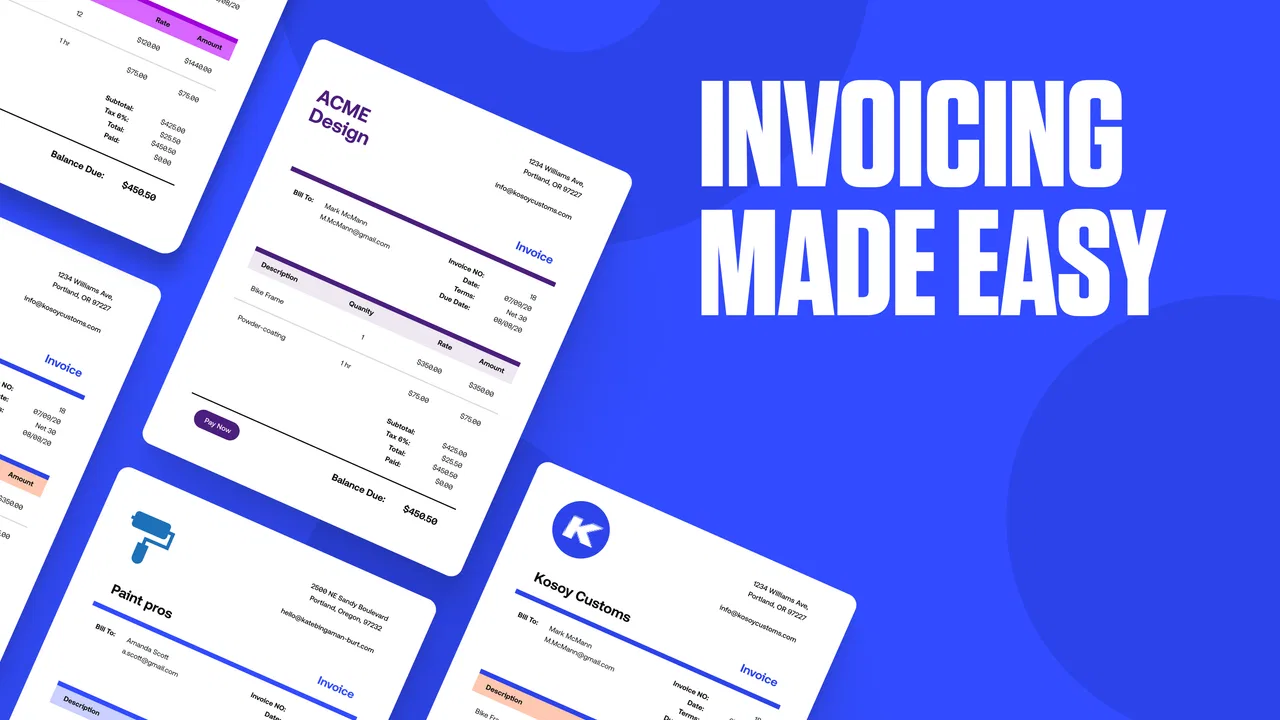
Invoice2go provides a comprehensive set of tools for creating professional invoices, including customizable templates, the ability to add your business logo, and options for importing client details. Users can also include payment terms, itemized lists, and taxes. Additionally, the app supports multiple currencies, making it ideal for international transactions.
02Is Invoice2go suitable for small businesses and freelancers?
Yes, Invoice2go is designed with small businesses and freelancers in mind. It offers a user-friendly interface that simplifies invoicing, expense tracking, and client management. The app supports quick invoicing from anywhere, making it an excellent choice for those who need to manage finances on the go.
03Can I track payments and expenses with Invoice2go?
Absolutely. Invoice2go includes features for tracking payments, sending reminders, and marking invoices as paid. Users can also manage expenses by capturing receipts and categorizing them. This functionality helps users maintain a clear overview of their financial status, aiding in effective cash flow management.
04Does Invoice2go integrate with other financial software?
Yes, Invoice2go integrates with popular financial and payment platforms like PayPal and Stripe, allowing for seamless payment processing. It also syncs with accounting software such as QuickBooks, making it easier to manage your business finances and ensuring that all data is consistent across platforms.
05What security measures does Invoice2go have in place to protect my data?
Invoice2go prioritizes user data protection with robust security measures. The app uses encryption to safeguard information and offers secure cloud storage for easy access and backup. Regular updates ensure that the platform remains secure against emerging threats, giving users peace of mind about their financial data.
Pros
- User-friendly interface simplifies invoicing.
- Customizable templates enhance brand identity.
- Mobile access for on-the-go invoicing.
- Integration with major payment platforms.
- Automated reminders reduce late payments.
Cons
- Limited customization in free version.
- Occasional sync issues with cloud storage.
- Customer support response can be slow.
- Advanced features require subscription.
- May lack advanced accounting tools.

Invoice2go: Easy Invoice Maker
Gallery